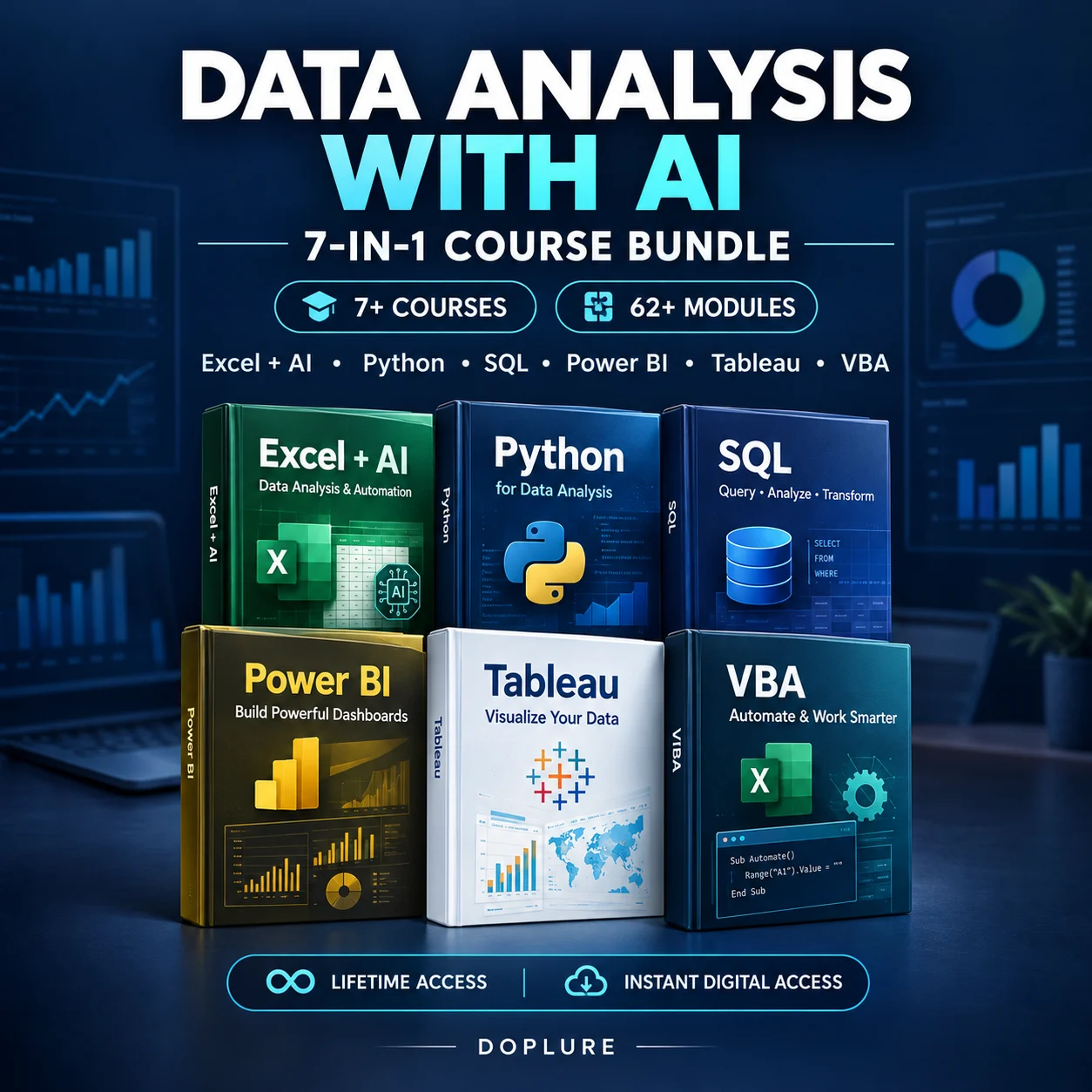
Get Job-Ready with the 7-in-1 Data Analysis Course Bundle — Powered by AI
Excel, AI & ChatGPT, Power BI, VBA, Python, SQL & Tableau — all in one place. Beginner to advanced. Learn at your own pace.
One-time payment. Lifetime access. Instant download. No hidden fees.
🔒 Secure Payment | Instant Access After Payment
Tick all that apply…

Was ₹1,999 — Save 90% Today
Everything you need to go from zero to job-ready — in one download.
5 complete video courses + bonuses. All beginner-friendly. All expert-taught.

Excel with AI & ChatGPT
- Excel Basics & Navigation — Interface, ribbon, tabs, workbook & worksheet navigation
- Workbook & Worksheet Management — Creating, saving, renaming, copying, grouping, moving sheets
- Data Entry & Formatting — Entering text, numbers, dates; formatting cells, merging, wrapping, fonts, colors, alignment
- Formulas & Functions — Basic math, IF, SUMIF, COUNTIF, TEXT, DATEDIF, BODMAS, IFERROR, absolute & 3D referencing
- Formula Management & Auditing — Displaying formulas, watch window, named ranges, copying formulas
- Data Tools — Sorting, filtering, removing duplicates, find & replace, text to columns, data validation, flash fill
- Charts & Data Visualization — Creating charts, formatting elements, trendlines, sparklines, quick charts
- Pivot Tables — Creating, using & referencing pivot tables, drilling down, managing pivot data
- Tables & Lists — Creating tables, fill handle, autofill lists, pick lists, custom styles
- Conditional Formatting — Rules, icon sets, color scales, top/bottom rules, custom formatting
- Printing & Page Setup — Print areas, margins, orientation, scaling, headers & footers
- Date & Time Management — Static & dynamic dates, time calculations, duration over 24 hours
- Protection & Security — Worksheet protection, password-protecting workbooks, locking data entry areas
- Advanced Tools — Goal Seek, What-If scenarios, Scenario Manager, Watch Window
- Keyboard Shortcuts & Productivity Tips — Ctrl keys, ribbon shortcuts, drag & drop, customising toolbar
- Review & Collaboration — Comments, spell check, sharing files, tracking changes
- Templates & Themes — Using and creating templates, applying themes
- Miscellaneous Features — Hyperlinks, SmartArt, format painter, object grouping

VBA Macros — Basic to Advanced
- Macro Security & Setup — Manage macro security settings, assign macros to ribbons, set up a personal macro workbook
- Customising the Ribbon — Create your own ribbon tabs and buttons for quick macro access
- Creating & Running Macros — Record, create and run your first macro; assign keyboard shortcuts and button triggers
- User Interaction — Use MSGBOX, INPUTBOX and UserForms to collect input from users
- Writing & Debugging Code — Master debugging techniques, error handling and the Visual Basic Editor
- Working with Data — Manipulate arrays, ranges, and data formatting; work with Excel's date functions
- VBA Control Structures — Use IF-ELSE, SELECT CASE, DO WHILE and FOR NEXT loops
- UserForm Design — Design forms with buttons, text boxes, and input validation
- Variables & Constants — Declare variables, set their scope, and use constants for fixed values
- Triggering Macros — Run macros via keyboard shortcuts, ribbon icons, and worksheet or workbook events
- Functions & Sub Procedures — Write reusable functions and subs for cleaner, organised code
- Worksheet & Workbook Events — Automate actions when files open, save, or sheets activate
- Range & Cell Manipulation — Work with OFFSET, FONT, and cell data formatting methods
- Speed Optimisation — Make your VBA faster using relative vs absolute referencing and other tips

Python & SQL for Data Analysis
- Introduction to Data Analysis
- Managing and Analysing Data
- Sorting Data
- Creating Automatic Subtotals in Sorted Lists
- Filtering Data & Advanced Filtering
- Eliminating Duplicate Data
✅ SQL for Data Analysis:
- SQL Installation & Overview
- Fundamental Concepts — tables, columns, queries
- Relationships between tables
- Strings, Numbers, Dates & Time
- Aggregates, Transactions, Triggers
- Indexes, Views & Subselects
- CRUD Applications
- Data Reporting & Analysis in SQL
- Grouping SQL Results
- Merging Data from Multiple Tables (JOINs)
- Advanced SQL Techniques
✅ Python for Data Analysis:
- Introduction to Python for Data
- Data Analysis with Python
- Statistical Operations in Python
- Hands-On Data Analysis Practice with Python

Power BI for Data Analysis
- Introduction & Setup — Overview of Power BI, interface tour, creating your first report
- Data Prep & Transformation — Use Power Query to clean, transform and enrich data
- Modelling & DAX Basics — Set up data models, create calculated columns, learn basic DAX
- Advanced DAX & Time Intelligence — Time-based DAX functions, cumulative sums, running totals
- Report Creation & Navigation — Finalize your report, apply dynamic ranking, scenario analysis
Power BI — Part 2:
- Interface & Data Preparation — Tour the Power BI interface, clean data using Power Query
- Enriching Data & DAX — Import date tables, create measures, use advanced DAX functions
- Time Intelligence & Advanced DAX — Running totals, dynamic sales rankings, advanced DAX
- Final Report & Insights — Polished report with advanced features and scenario analysis
Power BI — Part 3:
- CALCULATE Function — Apply CALCULATE for advanced filtering and context
- Using Filters & Time Intelligence — Multiple filters, time-based calculations
- Advanced DAX & Sales Analysis — Sales classification, context transition, dynamic selection
Bonus Section:
- Custom Visuals & Publishing — Add custom visuals and publish your reports
- DAX & Interview Tips — Create date tables with DAX, prepare for Power BI interviews
- Customer Insights & Sales Thresholds — Identify key customers and set dynamic thresholds

Tableau — Basic to Advanced
- Course Intro — Overview of Tableau and course structure
- Tableau Basics — Introduction to Tableau and BI concepts
- Data Connection — Connect Tableau to different data sources
- Workspace & Views — Explore the Tableau workspace and create views
- Multiple Data Sources — Work with more than one data source at a time
- Practice Exercise — Hands-on practice with basic features
Beginner — Bringing Data to Life:
- Chart Types — Choose the right chart for your data
- Building Views — Create and design data views
- Histograms & Scatter Plots — Visualise distributions and relationships
- Spatial Charts & Dashboards — Create geographic charts and full dashboards
- Publishing & Sharing — Share workbooks and present data stories
Beginner — Calculations & Expressions:
- Calculated Fields — Create custom calculations in Tableau
- Numeric & String Calculations — Work with numbers and text expressions
- Conditional & Analytical Functions — IF statements, analytics, and more
Advanced — Calculations & Functions:
- Advanced Techniques — Complex calculations and functions
- Parameters — Use parameters for dynamic, interactive visuals
- Level of Detail (LOD) — Apply LOD expressions, groups and sets
- Geospatial & Advanced Filters — Work with maps and advanced filter options
- Table Calculations — Master table calculations for data manipulation
Advanced — Improving Dashboards:
- Actions & Animation — Add interactivity and smooth animations
- Advanced Chart Types — Complex visuals beyond the basics
- Geospatial & Marketing Dashboards — Build specialised dashboards
- Sales Dashboard — Create a complete, dynamic sales dashboard
Instant access · Lifetime download · No subscription
Bonuses worth ₹4,250 — yours at no extra cost when you enroll today.

Excel Tips, Tricks & Shortcuts
Worth ₹1,499
Hands-On Project Files & Case Studies
Worth ₹999
7,000+ Premium PPT Templates
Worth ₹1,750Real feedback from real people who took the plunge and are glad they did.


Here's what makes this different from everything else out there.

Expert Trainers

High Demand Skills

Updated for 2026

Community Support

Lifetime Access

Super Affordable
Got doubts? We've answered everything below.
📧 Email: doplureofficial@gmail.com
📱 WhatsApp: +91 9467238136
Need Help Before Buying?
Our team is available on WhatsApp. Just send us a message and we'll reply fast.
Chat on WhatsApp
5-Day Money Back Guarantee 🛡️
Your happiness is our #1 priority. Try the full bundle for 5 days. If you feel it's not worth it — for any reason at all — just message us and we'll refund every rupee. No questions, no delays, no drama. We're that confident you'll love it.

